


You're welcome to send a guest to enjoy your booking. To ensure a hassle-free
check-in experience, guest details must be added to the booking before arrival.
Updating guest details is quick, easy and completely free of charge.
Resorts use the guest information on the booking to verify guests at check-in,
so it's important that all details are accurate and up to date before arrival.
This helps resorts verify guests quickly and avoids unnecessary delays.
What guest information is required?
Please provide the following details for each guest:
- Full name and surname
- ID number or passport number
- Cellphone number
- Email address
Important notes
- If your booking includes multiple units, each unit must have the details of
at least one guest staying in that unit. - Memberships registered in the name of a company or trust must include the
details of the individual(s) staying at the resort.
Update your guest details through any of these convenient channels
Updating guest details online
Step 1
Visit the The Holiday Club website and select Login.
Step 2
Log in with your username and password.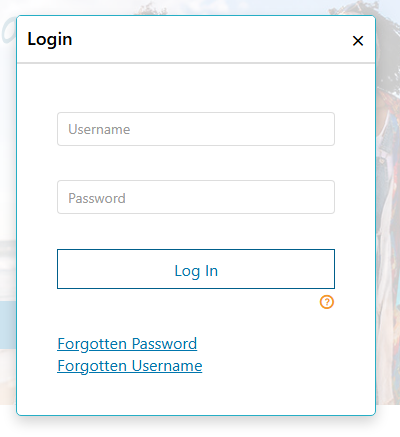
Step 3
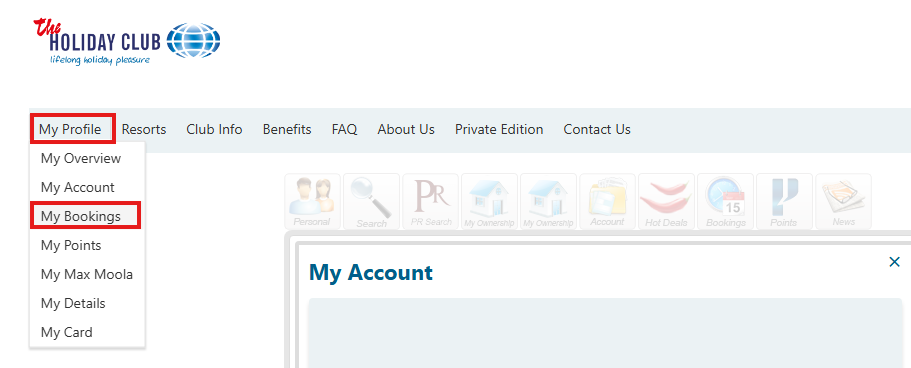
Navigate to My Profile > My Bookings.
Step 4
Search for your booking using the check-in date or by filtering for Confirmed bookings.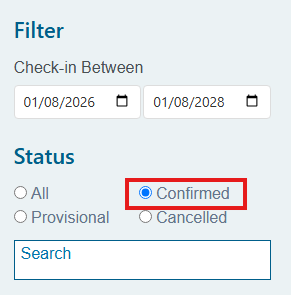
Step 5
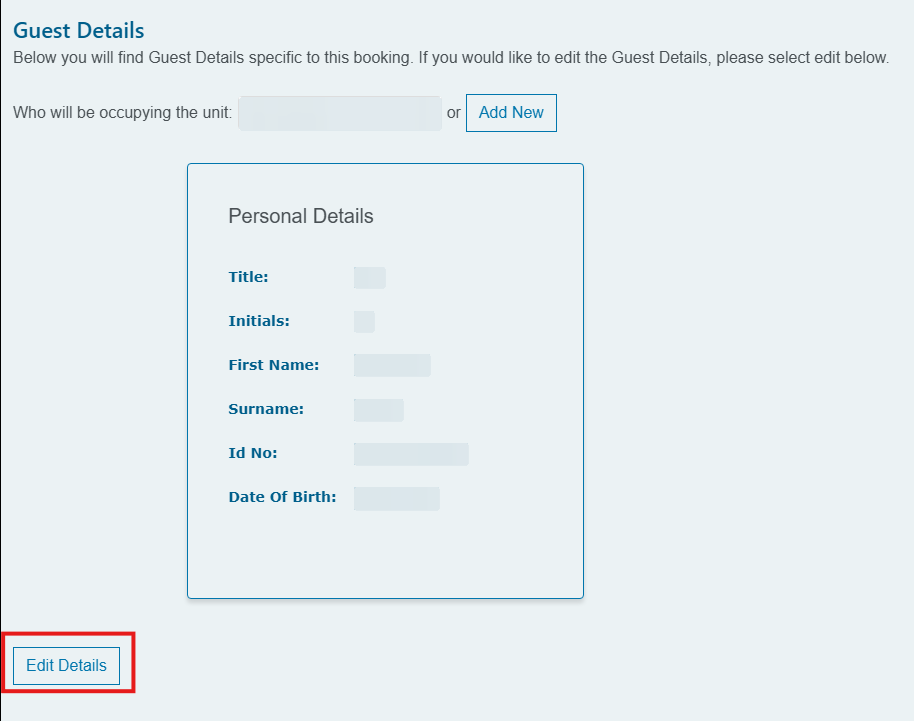
Select View Guest, choose Edit, update the guest details and select Save.
Once you have updated the details, you can download your new confirmation letter by
clicking on Download Booking.
Updating guest details via WhatsApp
Step 1
Save 060 076 2210 to your contacts and start a WhatsApp chat.
Step 2
Send 'Hi'.
Step 3
Select 'Booking and Res Query' from the menu.
Step 4
Our online Consultant will help update the guest details for you.